What's in the ecosystem
Local Operator is one program on your machine. What surrounds it is a small ecosystem you can plug into — providers to run the models, tools and knowledge to give the agent, a place to publish what it learns, and surfaces to reach it from. This page is the map.
Model providers
Local Operator talks to whichever provider you point it at, and keeps the differences out of your way:
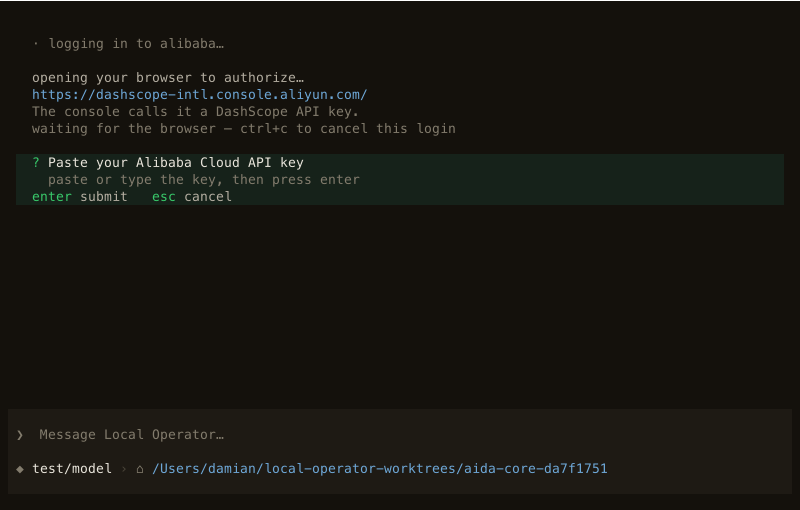
- Subscriptions you already pay for — sign in once and the agent uses the plan's quota: ChatGPT, Claude, Kimi, Grok, Z.AI and Qwen all have login flows (
lop login, or/loginin the TUI). Multiple accounts on one provider pool and rotate; failover follows a chain you can edit inconfig.yml. - API keys — Gemini, DeepSeek, Mistral, OpenRouter and Radient are set with a masked prompt and stay on your machine (
~/.local-operator/auth.db). - Local servers — LM Studio, Ollama, vLLM and llama.cpp run models on your own hardware; anything speaking the OpenAI API can be added by URL, so a proxy or a homegrown gateway fits too.
Radient
Radient is the hosted service the agent can run on, and where its community work lives.
Radient Pass is a prepaid balance on one key. One credit is one dollar at provider cost — no subscription and no per-request markup — you top up in the console (a small top-up fee applies, minimum $5), and credits do not expire. The key is a standard bearer token, so anything that speaks the OpenAI API can use it.
Radient Automatic is the routing mode: instead of naming a model, ask for model: auto and each step goes to a model picked for cost and quality. In the terminal it is lop --hosting radient with no --model; in the desktop app, signing in with Google or Microsoft creates a Pass for you and turns Automatic on.
Sign up at console.radienthq.com; the documentation lives at docs.radienthq.com.
The Agent Hub
The Agent Hub is the community registry of agents — browse it in the desktop app's Agent hub page, or pull straight from the CLI:
lop agents pull --id "agent_id"          # reading is public; no key needed
lop credential update [redacted]
lop agents push --name "My Agent"        # publishing needs an account
Pulled agents join your local registry. The registry's API is public too: api.radienthq.com/v1.
MCP servers
Local Operator speaks the Model Context Protocol over the official SDK, with lazy tool loading: a server advertises a summary, and individual tool schemas enter the context only when the agent enables them.
lop mcp add linear --url https://mcp.linear.app/mcp --oauth
lop mcp login linear
lop mcp list
Servers configured for Claude Code, Cursor, VS Code or Codex CLI are imported where possible, and project-level configs are discovered too.
Skills
A skill is a folder with a SKILL.md. Drop it in ~/.local-operator/skills/<name>/ and the agent indexes it — only skills relevant to the current turn surface, and their bodies load on demand, so unused knowledge does not tax the context. /skills lists what is loaded, and $ in the composer picks one by name ($research compare these two API designs). A skill marked hide: true is reachable only that way.
Teams
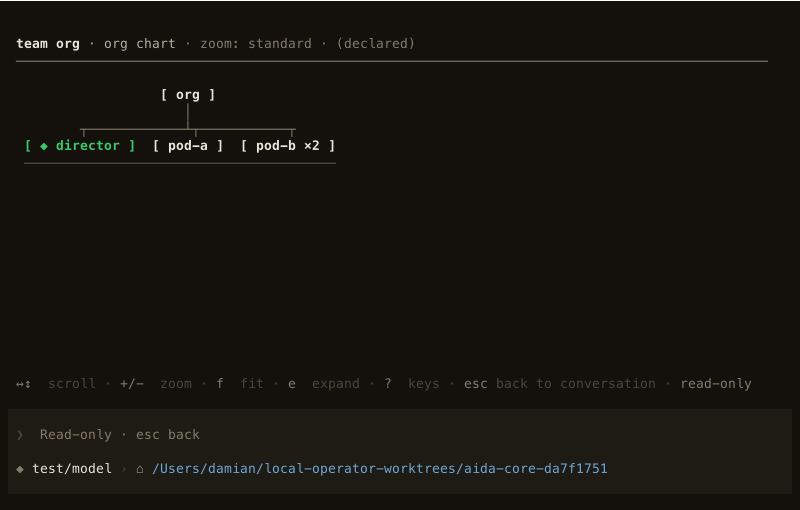
A saved team is a roster — a manager plus members with counts — layered with two briefs the individual agents never hard-code: how the group works together, and what product this instance owns. A slot can name another team, so a team nests into an org of teams. /team <name> <request> puts the roster on the work; /team chart <name> draws it. Reviewer, coder, architect, manager, designer and scout ship as starter roles; agent install copies one into your registry to edit. From the CLI: lop teams list, lop teams show.
The browser extension
The extension gives the agent the browser you already use, with your logins intact, working in its own tab: it can open pages, read, click, type and take screenshots, and it asks before visiting a new site. The bridge stays on your machine — loopback only, no cloud browser. Install it from the Chrome Web Store, then pair: lop browser install, lop browser status, lop browser pair. See the extension guide for the flow in full.
Where things live
| What | Where |
|---|---|
| Product site, downloads | local-operator.com |
| Runtime source, releases | github.com/damianvtran/local-operator |
| Desktop app source | github.com/damianvtran/local-operator-ui |
| Python package | pypi.org/project/local-operator |
| Radient console | console.radienthq.com |
| Radient docs | docs.radienthq.com |